
Key takeaways for managers (TL;DR)
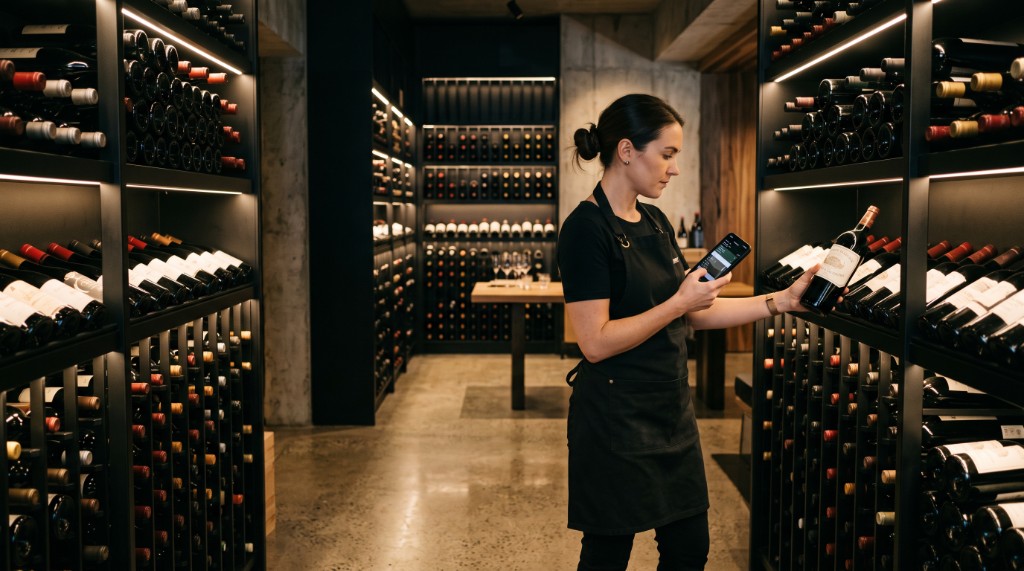
- Over 70% of high-value hospitality inventory is stored in concrete basements, subterranean wine vaults, and stainless steel walk-in coolers where Wi-Fi and 5G signals degrade or vanish completely.
- Traditional cloud-only inventory tools force staff into spinning loading screens, dropped sessions, and lost counts whenever connection cuts out behind a cooler door.
- A true offline-first mobile engine logs every barcode scan and scale measurement locally on the device in real-time, operating unhindered with zero internet dependency.
- When staff members step back onto the dining floor or reconnect to Wi-Fi, background synchronization reconciles all counts and updates the manager dashboard automatically.
- Multi-device atomic locks prevent multiple bartenders from counting the same bottle or overwriting each other's work across separate bars and storage areas.
1. The Hospitality Dead Zone Reality
Most SaaS inventory applications make a fatal operational assumption: permanent, flawless internet connectivity.
Anyone who has run a high-volume bar, subterranean cocktail lounge, or multi-story hotel knows that real hospitality spaces are hostile to wireless signals. Your highest-value inventory is almost never stored in the sunny dining room near the router:
- Reinforced concrete basements: Thick subterranean walls that block cellular towers and absorb 5GHz Wi-Fi frequencies.
- Stainless steel walk-in keg coolers: Metal enclosures that effectively act as Faraday cages, cutting off network signals the moment the heavy door swings shut.
- Underground wine vaults: Historic cellars and storage rooms constructed beneath street level with zero external connectivity.
When a standard browser-based or cloud-dependent app loses signal inside these spaces, the workflow grinds to a halt. Bartenders are greeted by spinning loading indicators, failed API requests, and error screens that discard uncommitted counts — forcing staff to start over.
2. The Hidden Cost of Dropped Sessions
When software fails in the middle of a Sunday night closing count, staff do not wait patiently for IT to fix the network. They revert to the oldest, most reliable fallback: pen and paper.
A bartender who loses 45 minutes of counted stock because the Wi-Fi dropped in the keg room will never trust that software again. They will write numbers on a cardboard coaster and shove it into a drawer.
This breakdown introduces severe operational costs:
- Doubled Labor Hours: Staff spend double the time counting by hand and then manually re-entering numbers into the computer the next morning.
- Transcription Errors: Handwritten numbers get misread, lines get skipped, and incorrect bottle counts get pushed into the POS system.
- Delayed Variance Audits: Instead of knowing immediate pour costs at closing, managers wait days to uncover whether discrepancies were real theft or clerical errors.
3. How Offline-First Mobile Counting Works
To eliminate this vulnerability, OneDown was architected from the ground up as a native offline-first mobile engine.
Rather than relying on an active server connection for every tap, the mobile app functions completely autonomously on the device:
3.1 Instant Local Data Storage
Every catalog item, warehouse location, speed-rail configuration, and barcode is pre-cached directly on the device. When staff open a session, the app needs zero network calls to begin counting.
3.2 Sub-Second Scale and Scan Response
When a bartender scans an EAN-13 barcode or places an open bottle of gin onto the Bluetooth scale, the measurement commits locally in milliseconds. There is zero network lag, zero loading spinners, and zero frozen screens.
3.3 Seamless Background Synchronization
When the bartender completes the storage room count and walks back into Wi-Fi range or the dining room:
- The app automatically detects connectivity without user intervention.
- Counted records stream securely to the OneDown cloud engine in the background.
- Real-time stock levels, depletion data, and variance reports update instantly across the web manager dashboard.
4. Multi-Device Team Counting Without Collisions
Large hospitality venues rarely count with a single device. A hotel or multi-room venue often deploys three or four staff members simultaneously:
- Bartender 1 counts the Main Bar and speed rails.
- Bartender 2 weighs open bottles in the Rooftop Lounge.
- Bar Manager scans full cases in the Subterranean Keg Cellar.
OneDown utilizes an atomic location lock system. While each team member works offline in their assigned zone, their respective count partitions remain distinct.
When devices reconnect, the synchronization engine merges the data without collisions or duplicated quantities. The beverage director in the office sees the live progress percentage climb from 25% to 100% in real-time.
| Operational Metric | Legacy Cloud-Dependent Tools | OneDown Native Offline Engine |
|---|---|---|
| Walk-in Cooler Operation | Freezes or fails on connection loss | Uninterrupted local operation at full speed |
| Input & Scan Latency | 800ms – 3000ms network round-trip | Sub-2 millisecond local device commit |
| Network Disconnects | Unsaved session counts lost | Guaranteed local database commit |
| Simultaneous Counting | Overwrite risks and race conditions | Conflict-free automatic synchronization |
| Manager Live Visibility | Requires manual browser refreshes | Real-time background sync when connected |
5. Summary: Operational Peace of Mind
Hospitality inventory is already physically demanding. Forcing staff to fight unreliable Wi-Fi in basements and steel coolers turns a routine chore into an agonizing frustration.
By treating the offline state not as an exception or error, but as the primary operating condition, OneDown ensures that your inventory data remains rock-solid, accurate, and ready for immediate POS reconciliation — regardless of what happens to the internet connection.
§Official sources & references
All benchmarks, tax rules, and percentages cite official regulations and audit reports:
- [1]National Restaurant Association — State of the Restaurant Industry Technology Report
Industry benchmarks on frontline staff friction, network dropouts in back-of-house storage, and data loss during manual inventory audits.
- [2]Cornell Hospitality Report — Beverage Inventory Accuracy and Shrinkage Control
Analysis of operational time lost to reconciliation errors and manual recount procedures in subterranean venues.
- [3]Local-First Software: You Own Your Data, in spite of the Cloud (Kleppmann et al.)
Foundational principles for zero-latency, offline-capable mobile workflows with seamless cloud synchronization.